
How to make a 3×4 photo on your phone
Published:
You can make a 3×4 photo at home. Take a portrait with your phone, crop it to a 3:4 ratio and print it at 3×4 cm. What matters most is even light, a plain background and a correct crop.
Step by step
- 1Take a portrait against a plain, light background.
- 2Open “3×4 photo online” and add the shot — a 3:4 frame appears right away.
- 3Move and resize the frame so the face is centered, then click “Crop”.
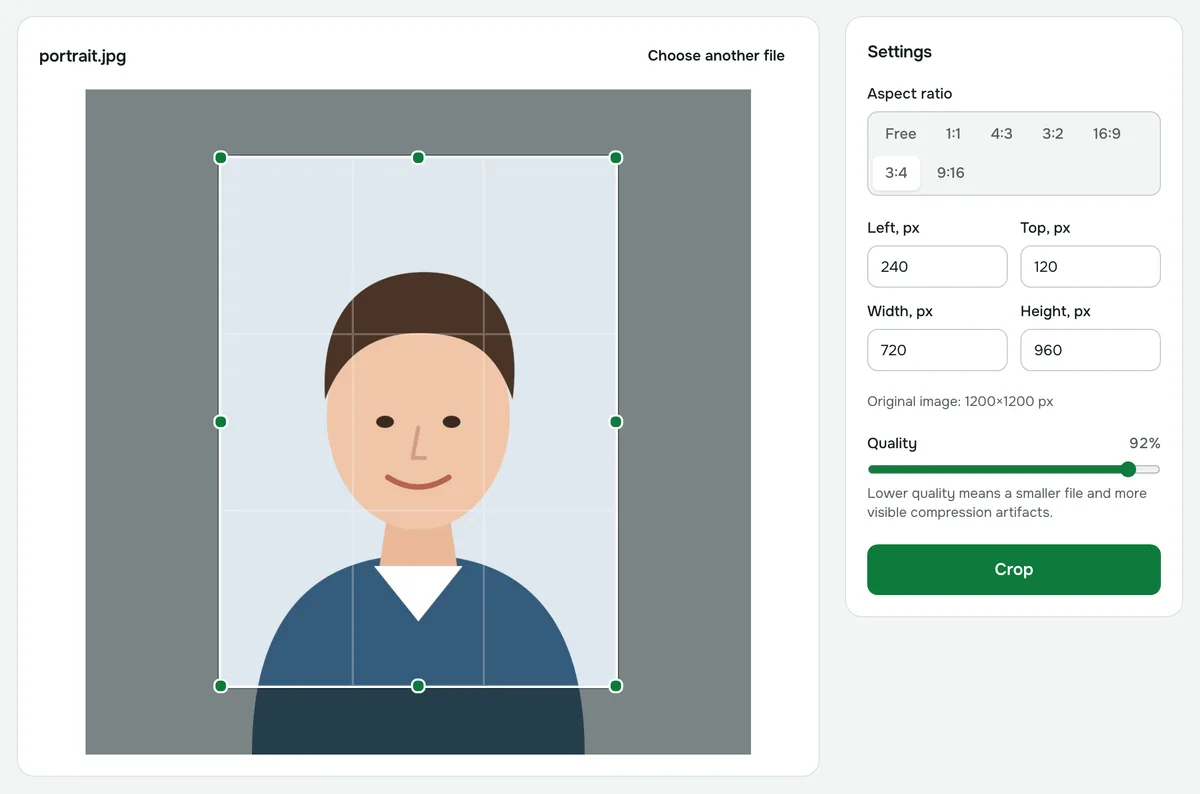
- 4Download the file and print it at 3×4 cm.
How to take the photo
- Background: a plain, light wall with no patterns or shadows.
- Light: soft and from the front, such as a window; no flash and no harsh shadows on the face.
- Camera: at eye level, about 1.5 m (5 ft) away. Ask someone to take it rather than shooting a selfie.
- Pose: look straight into the camera, with your head level.
What size the file should be
To print 3×4 cm at 300 dpi, you need at least 354×472 pixels. Any phone camera gives far more than that. Cropping doesn’t reduce quality: the pixel size depends on the original shot.
How to print it
Take the file to a photo shop or print it yourself, setting the image size to 3×4 cm in the print settings.
The 3×4 cm format is used for documents in many countries, but not for a US passport, which needs 2×2 inches. Background, head position and other rules depend on the document. Check them with the organization that accepts the photo.
Privacy
Cropping happens in your browser: the photo is never uploaded to a server.
3×4 photo online
Crop a photo to 3×4 proportions for ID documents, passes or forms: the frame is set up for you.
Open “3×4 photo”