
How to scan a document with your phone to PDF
Published:
You don’t need a scanner: take a photo of the page with your phone camera in the browser, and the corners are found, the perspective is corrected and the paper turns white. Several pages are saved as one PDF.
Step by step
- 1Open “Document scanner” and tap “Turn on camera” — or “Upload photo” if you already have a picture.
- 2Point your phone at the page and tap “Capture page”.
- 3Check the page corners, drag them if needed, and tap “Straighten page”.
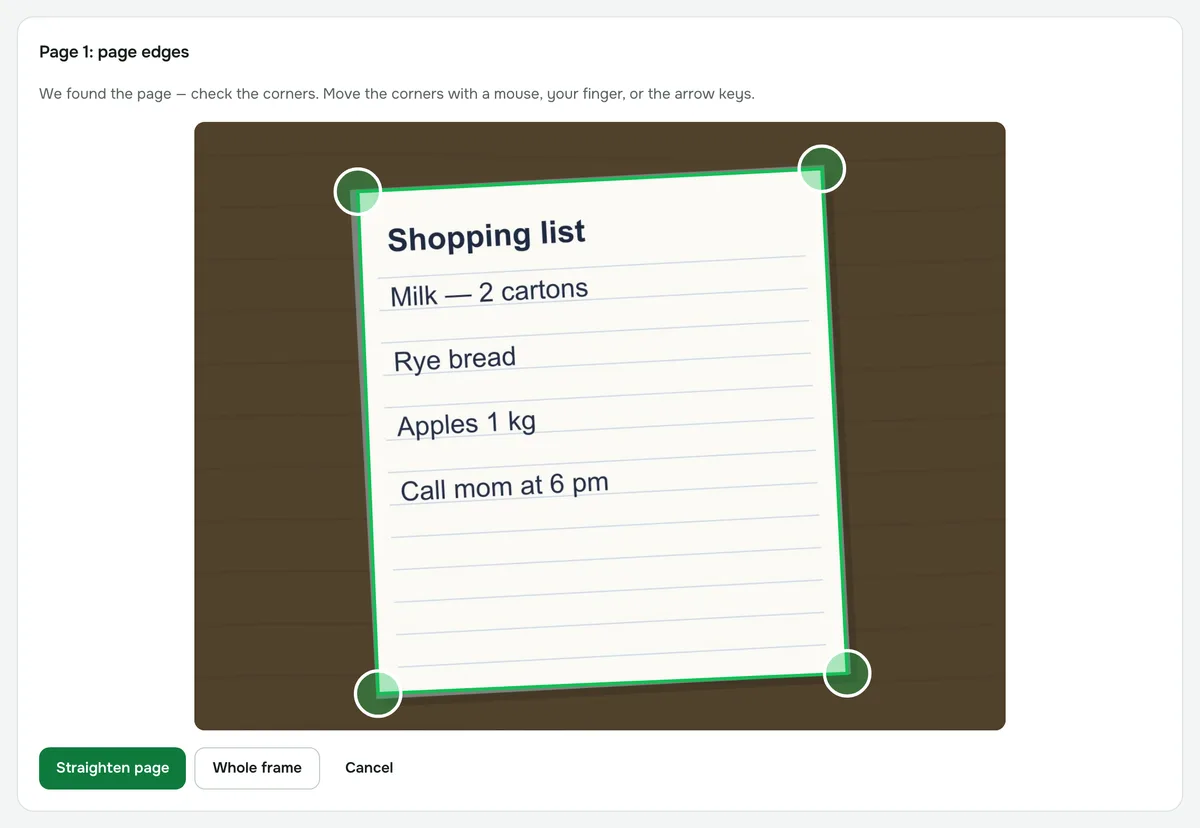
- 4Shoot or upload the other sheets in the “Add another page” panel, choose a filter and tap “Save PDF”.
How to shoot the page so the corners are found
- Put the page on a dark surface: it’s detected automatically when it’s noticeably lighter than the background.
- Hold your phone straight above the page so all four corners are in the frame.
- On a light-colored desk you’ll probably need to set the corners by hand — drag them with your finger, the mouse or the arrow keys.
- If you don’t need to crop, choose “Whole frame”.
Which filter to choose
- “Document” turns the paper white even under uneven light and shadows, makes the text darker, and keeps the color of stamps and signatures.
- “Black and white” leaves only black and white, like a photocopy. Good for plain text without color marks.
- “Original colors” only straightens the page and keeps the colors from the photo.
Multiple pages and PDF size
Each new page is added to the end of the document. Until you save the PDF, you can reorder pages, remove them or adjust their edges again.
The page size can be A4 (the default), Letter or “Fit to photo”. A4 pages are saved at about 300 dpi, which is enough for printing.
If the camera won’t turn on
The browser asks for permission to use the camera — allow it. If access is blocked or another app is using the camera, tap “Upload photo”: on a phone, you can also open the camera when choosing a photo.
Privacy
The camera feed and photos are processed on your device and never uploaded to a server. If you need the text from the scan, run the PDF through “Recognize text (OCR)”.
Document scanner
Scan a document with your phone or laptop camera: the page is straightened and the paper turns white. Several pages go into one PDF.
Open “Scanner”