
How to merge PDF files into one
Published:
Merging several PDFs into one document takes a minute. Add the files, put them in the right order and save. Pages are copied as they are, with no loss of quality.
Step by step
- 1Open “Merge PDF” and add two or more documents.
- 2Arrange the files in the order you need by dragging them or using the up and down buttons.
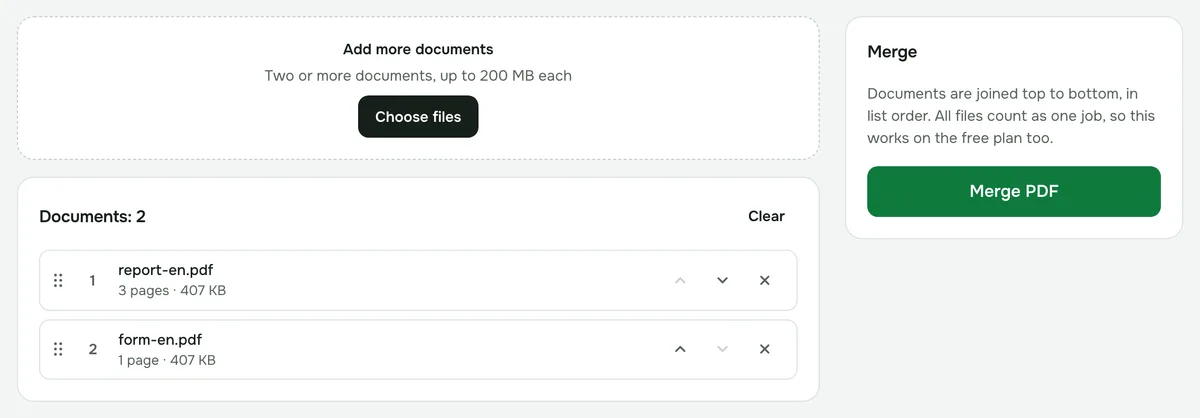
- 3Click “Merge PDF” and download the result.
How many files can you merge?
From two to 200 files at once: up to 200 MB each and 500 MB in total. Documents are joined top to bottom, in the order they appear in the list.
How to take only the pages you need
The tool merges whole documents. Remove extra pages before or after merging with “Delete pages” or “Extract pages”.
What doesn’t carry over
Bookmarks, interactive form fields and attachments aren’t copied to the merged document. Only the page content is.
Privacy
The files are merged in your browser and never uploaded to a server.