
How to rotate a photo online
Published:
To rotate a photo, add it to the tool, click “↻ Right”, “↺ Left” or “180°” and save the result. The preview instantly shows how the picture will look, and the quality barely changes.
Step by step
- 1Open “Rotate image” and add one or more photos.
- 2Click “↺ Left”, “↻ Right” or “180°” — each click rotates by 90° or 180°.
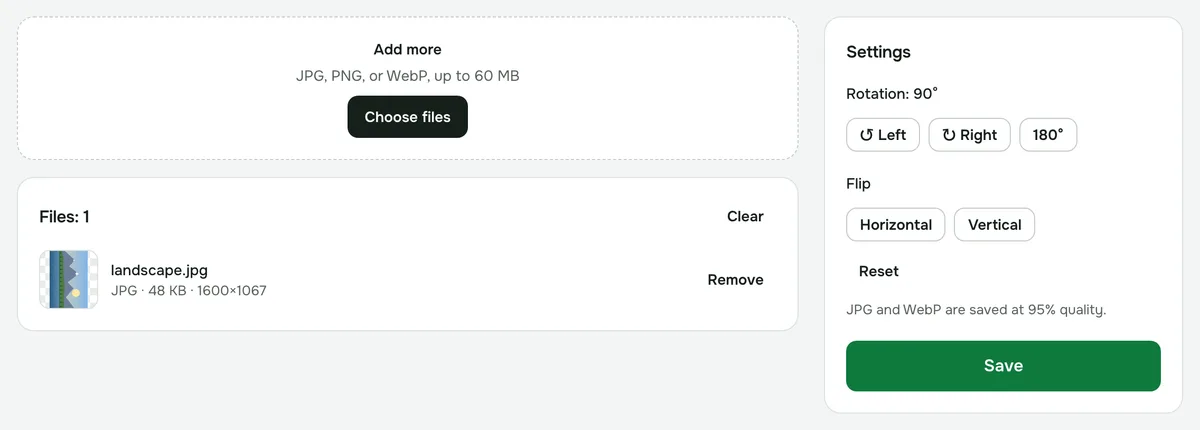
- 3Click “Save” and download the file, or a ZIP archive if there are several photos.
Why a photo ends up sideways
Phones often save a shot the way the sensor captured it and add a note to the file saying how to rotate it — the EXIF orientation tag. Your phone’s gallery reads that note, but some websites, email clients and older programs don’t, so the photo shows up sideways.
The tool takes EXIF into account automatically: what you see in the preview is what ends up in the file. After saving, the rotation is baked into the pixels themselves, so the photo displays the right way up everywhere.
Which angles are available
- “↻ Right” rotates 90° clockwise, “↺ Left” rotates counterclockwise.
- “180°” turns the photo upside down.
- Clicks add up: the current angle is shown above the buttons. “Reset” returns the original position.
- Arbitrary angles, such as 5° to straighten a horizon, aren’t supported yet.
Several photos at once
Add a series of shots — they’re all rotated by the same angle, and you can download them as a single ZIP archive. If photos need different rotations, process them in separate batches.
Quality and privacy
The format stays the same: JPG stays JPG, PNG stays PNG, WebP stays WebP. PNG is saved losslessly, JPG and WebP at 95% quality — the difference isn’t visible to the eye. Photos are processed in your browser and never uploaded to a server.
To rotate PDF pages, use the separate “Rotate pages” tool.